A teleprompter that follows your voice, records you, and keeps every good take.
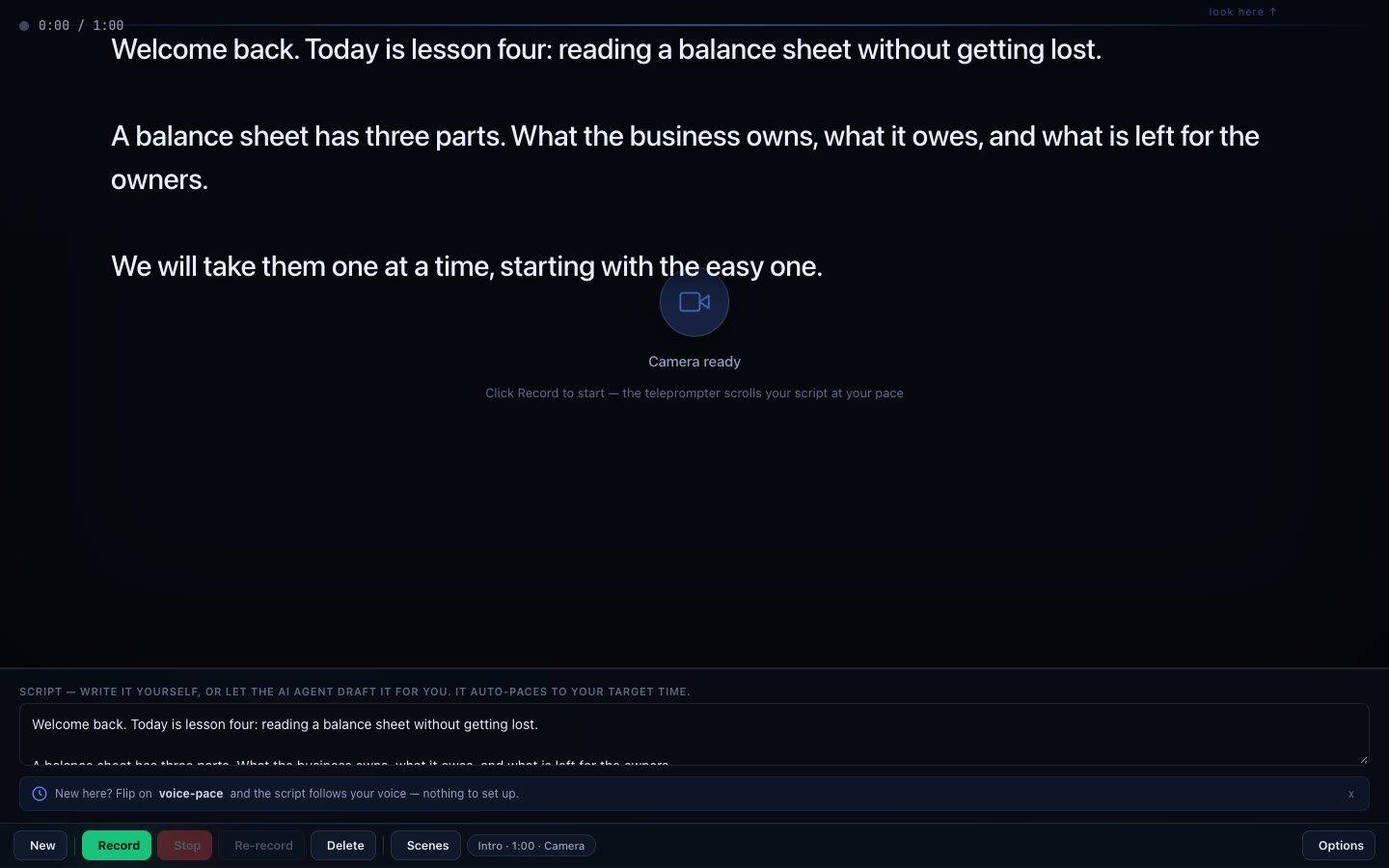
Write or paste a script. Read it at eye level. Cut your takes into one video. It runs in your browser, and recording is free.
Start recordingNo card. No watermark. Your footage stays on your device.
What are you recording?
Anything where you talk to a camera from a script. Four that people make most:
How a take goes
Write
Type your script, paste it, or give a short brief and have a draft written to 30, 45, 60 or 90 seconds.
Read
The script sits at eye level, next to the lens, and scrolls at the pace you speak. A countdown, a lead-in and a mirror are built in.
Record
Your own camera, as many takes as you need. Nothing is uploaded.
Tidy
One button takes the ums and the long pauses out of a take.
Cut
Trim and split your scenes, put them in order, and download one file with no watermark.
Every good take becomes a scene you can use again.
- Each take can be kept. Save the good ones as scenes while you record.
- Mix takes. Use the opening from take two and the ending from take five.
- Keep them for later. Save a scene to your vault and it is there the next time you sign in, on any device.
Three ways to make the video
Record yourself
The teleprompter is the product. You are on camera, reading a script that keeps pace with your voice, and it looks like you are talking to the person watching.
Record your screen
Your screen with your camera in the corner, for a walkthrough or a tutorial.
AvatarNot available yet
We are building an avatar made from your own photo, for the days you cannot record. It will ask for your consent on camera and label every video as generated.
A product demo
Give it your website's address. It films the page, writes the voiceover and narrates it.
A presentation
Your slides play behind you while you talk. The arrow keys change slides as you record.
Clips
Upload a talk, a podcast or a demo and get back the clips worth posting, each starting and ending on a whole sentence.
Recording is free. $19 a month pays for the AI.
- Free
- $0
- Recording, takes, scenes, cutting and download, with no limit and no watermark.
- 100 credits a month of AI work, such as script drafts and a product demo.
- Pro
- $19
- A month. 3,000 credits of AI work, thirty times the free plan.
- Beta features come to Pro first. Cancel any time.
Credits keep the AI from being abused and keep the price low. What each action costs in credits
Questions people ask first
Is it free?
Yes. Recording, takes, scenes, cutting and download are free, with no limit and no watermark. The free plan also includes 100 credits a month of AI work such as script drafts. Pro is $19 a month: it pays for the AI, with 3,000 credits, and gets beta features first.
Is my video uploaded to your servers?
No. Recording, editing and stitching happen in your browser, on your own device. Only the text you hand to the assistant, such as a brief or a pasted script, reaches our servers. Saving a scene to your vault is your choice.
Do I need to install anything?
No. It runs in a current desktop browser with a camera and a microphone. There is no app and no plugin.
What if I am not a founder?
The name is older than the audience. It works the same for a lesson, a listing, a sermon or a channel intro: anything where you talk to a camera from a script.
Can I cancel Pro?
Yes, at any time, from the billing portal linked in your receipt. You keep Pro to the end of the period you paid for, then the account returns to Free.
How it compares, with each product's own prices: